Guide
How to use
Morse Watcher allows you to send and receive Morse code by using your device's flashlight to transmit messages and its camera to translate flashing light into readable text. Two devices are required: one for sending and another for receiving. The app works across both iOS and Android devices.
Quick Start
- Open Morse Watcher and allow camera access.
- Point the camera at one steady, clearly visible flashing light.
- Keep the phone still and tap to place the light inside the detection area.
- Use the right-side slider to tightly enclose the light within the target area.
- Wait while the app recognizes the timing of the signal.
- Read the translated message on screen.
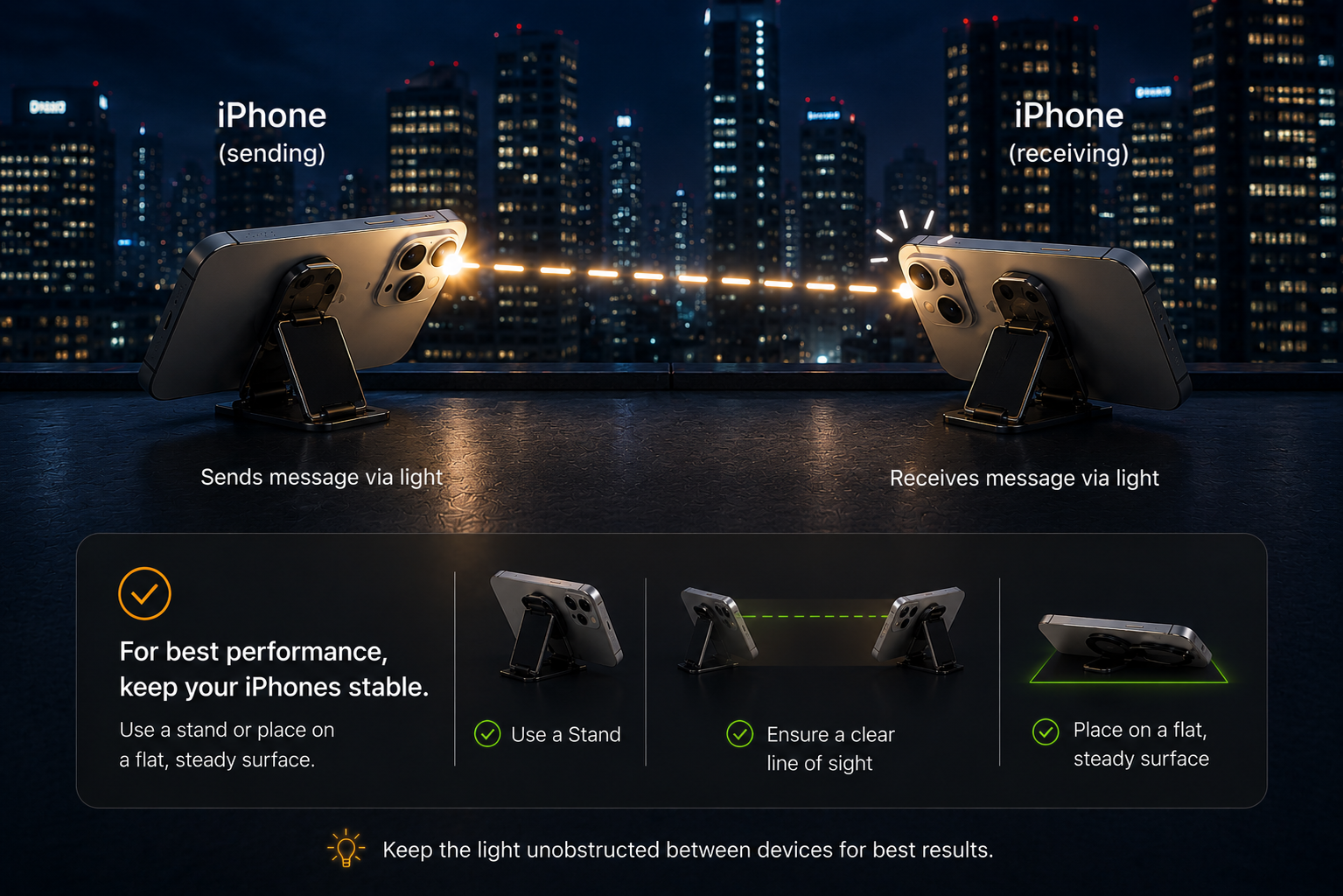
Tips for better detection
- Use a bright signal with clear on-and-off flashes.
- Keep the camera and light source steady.
- Adjust the slider to make the detection area smaller so it tightly encloses the flashing light.
Troubleshooting
- Camera does not open: Check camera permission in the device settings.
- Signal is not detected: Keep the phone still. If the sender's speed is known, set it in the Settings menu.
- Translation looks incorrect: Clear the detection area and tap on the flashing light again.
- Detection stops: Confirm the light remains inside the detection area, or check if the sender has stopped flashing.
Settings
- Theme: Color theme for the app's interface.
- Send Speed: Flash speed when sending — match the receiver.
- Detection Speed: Reads the sender's pace. Set to Auto when sender speed is unknown, or set to fast/medium/slow when sender speed is known. (Fast: 100/300/700ms, Medium: 200/600/1400ms, Slow: 400/1200/2800ms).
- Brightness Graph: Toggle the brightness graph on or off.
- Sticky Target: Keeps your aim locked as the phone moves.
- Sound: Toggle app audio on or off.
- Siri Shortcut (iOS): Add a quick shortcut to let Siri send flashlight messages for you (located below the Subscription section).
Using Siri (iOS)
- Quick Setup: In the Morse Watcher settings menu, look below the Subscription section and tap the shortcut prompt to add it.
- Manual Setup: If you previously dismissed the prompt (by hitting the X), you can enable it manually. Open the Apple Shortcuts app on your iPhone, tap + to create a new shortcut, search for Morse Watcher, and add the Send Message action.
- Send a Message: Say "Send a message on Morse Watcher" or "Flash a message with Morse Watcher". Siri will then ask "What message should I flash in Morse?" and "How many times should I flash it?", and then open the app to begin flashing.
- Send SOS: Say "Send SOS on Morse Watcher" or "SOS on Morse Watcher" to immediately flash an SOS signal.
Q&A
Frequently Asked Questions
Where and when to use this app?
Morse Watcher is not intended to replace cell phone or internet service. It is a secondary, off-grid communication tool designed for when standard networks fail or are unavailable. It requires a clear line of sight and a visible flashlight in the distance.
- Wilderness Survival & Hiking
- Off-Grid Communication: Send signals across deep canyons, ridges, or remote valleys where cell service and walkie-talkies fail but direct line of sight is available.
- Search & Rescue: Signal overhead drones or someone in the distance with SOS flashes when no other means of communication is available.
- Disasters & Power Outages
- Grid-Down Neighbor Contact: Communicate across streets or from rooftops during severe storms, blackouts, or when local cell towers go down.
- Network Censorship & Shutdowns
- Bypassing Kill Switches: Stay connected when local or national governments intentionally cut or throttle internet and cellular infrastructure.
- Pedestrian Safety & Night Walking (Beacon Mode)
- Battery-Efficient Roadside Alert: BEACON button flashes variable-intensity light toward oncoming drivers to bring their attention to pedestrians while saving on battery as compared to a full-on flashlight.
- Educational & Learning Tool
- Interactive Morse Code Learning: Practice writing, sending, and identifying Morse code patterns visually, bridging the gap between manual learning and real-time automated decoding.
- Scouts & Outdoor Groups
- Practical Skill-Building: Modernize traditional signaling drills for Scout troops and outdoor enthusiasts without needing specialized hardware.
- Games & Recreational Activities
- Puzzles & Night Games: Perfect for neighborhood stealth games, scavenger hunts, escape rooms, or night-time tactical play requiring visual codes.
Key benefits
- Zero Infrastructure Needed: Works 100% offline using standard device hardware (flashlight + camera). Does not require internet connection, Wi-Fi, satellite, etc.
- Smart Power Management: Features dedicated battery-saving light intensity modes.